2. FTPアカウント設定とワードプレスの自動インストール

Xサーバーの「サーバーパネル」からFTPアカウント設定を行い
ワードプレスを自動インストールします。

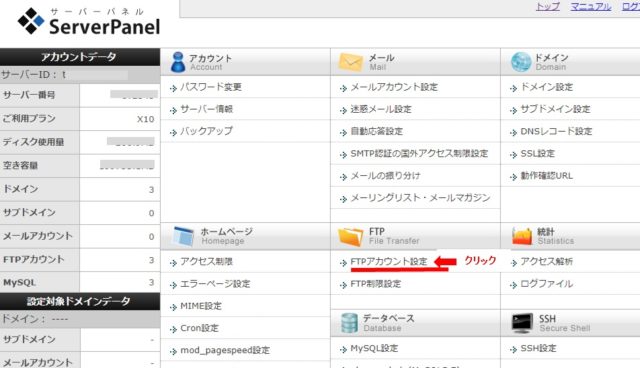
1.Xサーバーのサーバーパネルから「FTPアカウント設定」をクリック。
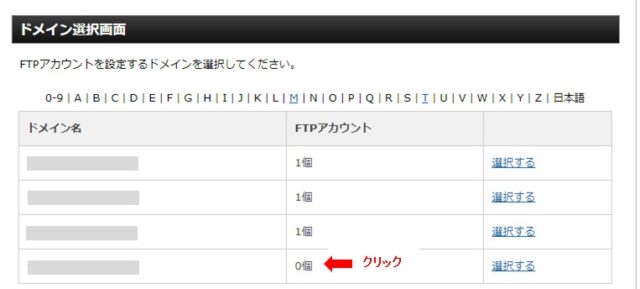
2.ドメイン選択画面で、ドメインを選択。
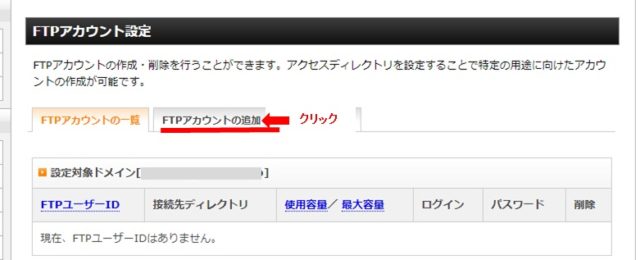
3.「FTPアカウントの追加」をクリック。
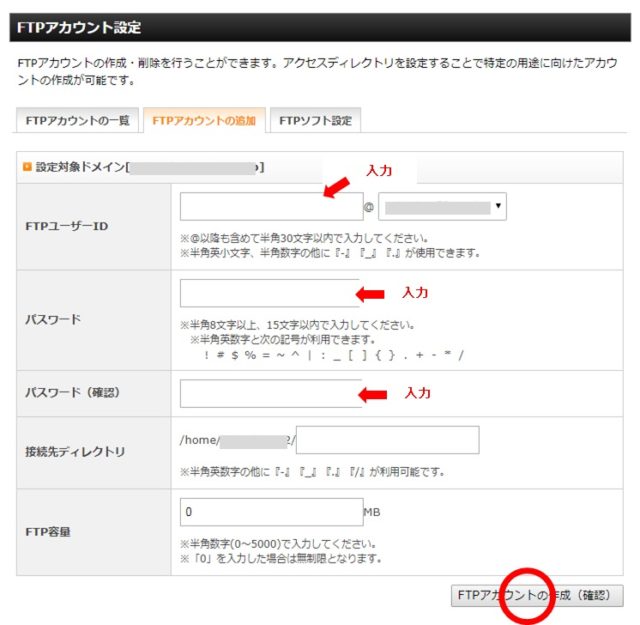
4.「FTPユーザーID」、「パスワード」、「確認用パスワード」を入力し
「アカウントの作成」をクリック。
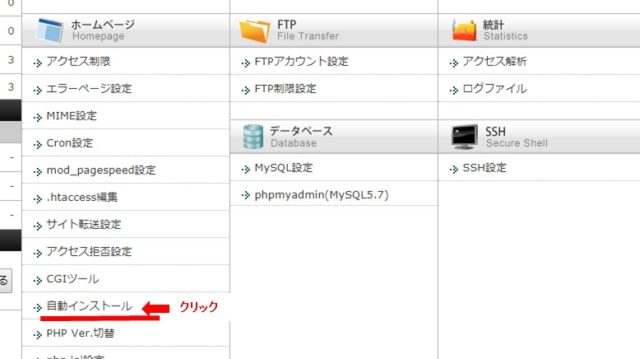
5.「自動インストール」をクリック。
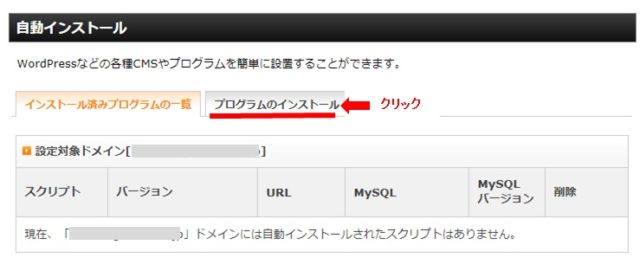
6.「プログラムのインストール」をクリック。
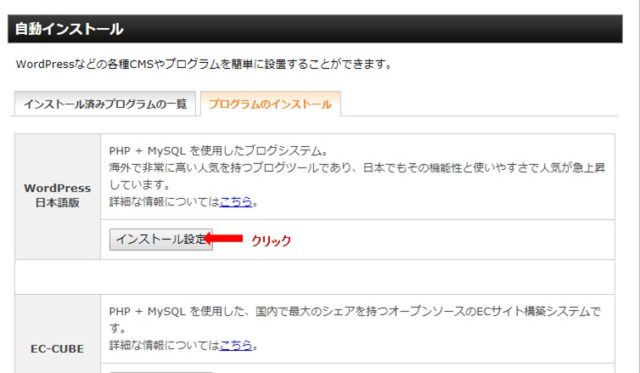
7.「インストール設定」をクリック。
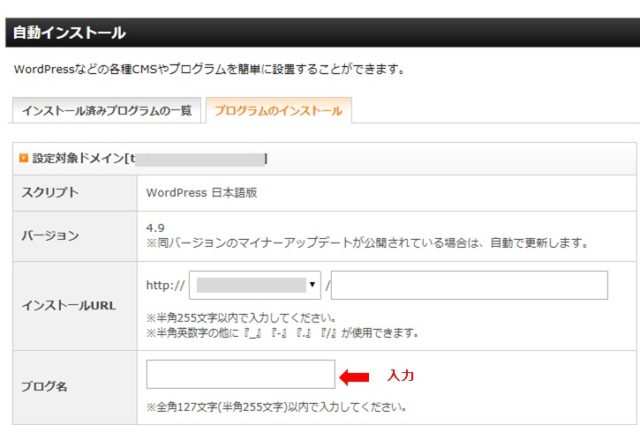
8.「ブログ名」、「ユーザー名」、「パスワード」、「メールアドレス」を入力し
「インストール」をクリック。
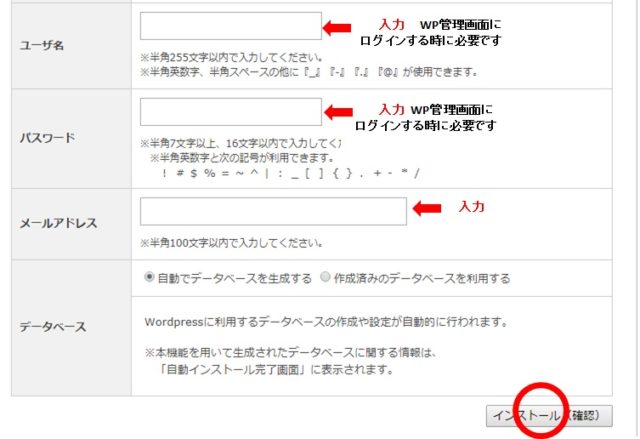
9.URLと(ダッシュボードへ)の二つのリンクが表示されるが、すぐには反映されないので
しばらく待つ。
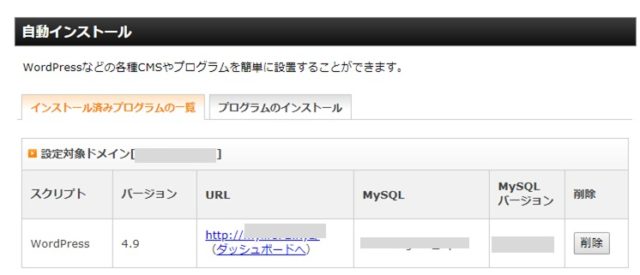

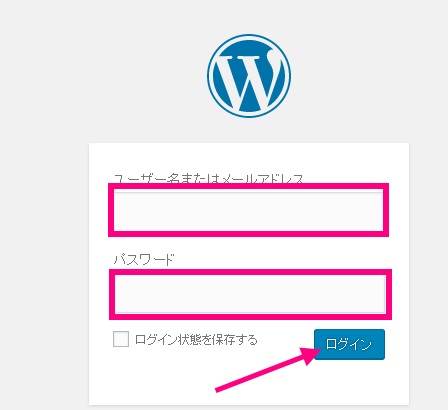
(ダッシュボード」からワードプレスログイン画面にジャンプするので
先ほど入力したユーザー名とパスワードを入力してログイン。
 

WordPress へ

HOME へ


<スポンサードリンク>

PAGE TOP

This website stores cookies on your computer. These cookies are used to provide a more personalized experience and to track your whereabouts around our website in compliance with the European General Data Protection Regulation. If you decide to to opt-out of any future tracking, a cookie will be setup in your browser to remember this choice for one year.

Accept or Deny